Instant feedback from
real human(ish) users
You can’t run a user study on an app that has no users yet. humanish runs one anyway. One command puts a synthetic participant with a persona and a task in front of your app in a real browser; what comes back is what they did, where they got stuck, and what it cost.
It shows you where one participant got stuck, not how many of your users would. Known failure modes
$npx humanishnpm i -D humanishnpx humanish init --yesnpx humanish watchRun a live study →
For coding agents: npx skills add danielgwilson/humanish
run concurrent-shared-world-2026-09-27T20-57-56-664Z-1e8c9646Example 1 of 3 · drawDB · 2026-10-03 · one participant
Watch one study, start to finish
You’ve built something, nobody outside the team has used it, and you’d still like to know where a first-time user gets stuck. That is the situation humanish is for. So we did what you would do: pointed it at an app we don’t maintain, drawDB, an open-source database diagram editor, gave one participant a persona and a single task (add two tables and name them), and ran it. Below is that run: every screen, every click, what the participant was thinking, and what came back.
- Source
- .humanish/runs/cua-2026-10-03T10-43-07-890Z-833df699
- gitignored · the same directory your own runs write to
- Date
- 2026-10-03
- Subject
- drawdb-io/drawdb · commit-pinned
- Participant
- 1/1 reached the goal
- Verify
- 16/16 checks
- Status
- local_only
- Wall-clock
- 3m 0s incl. analysis
- Est. cost
- ~$0.50 est. plus unpriced usage, with analysis
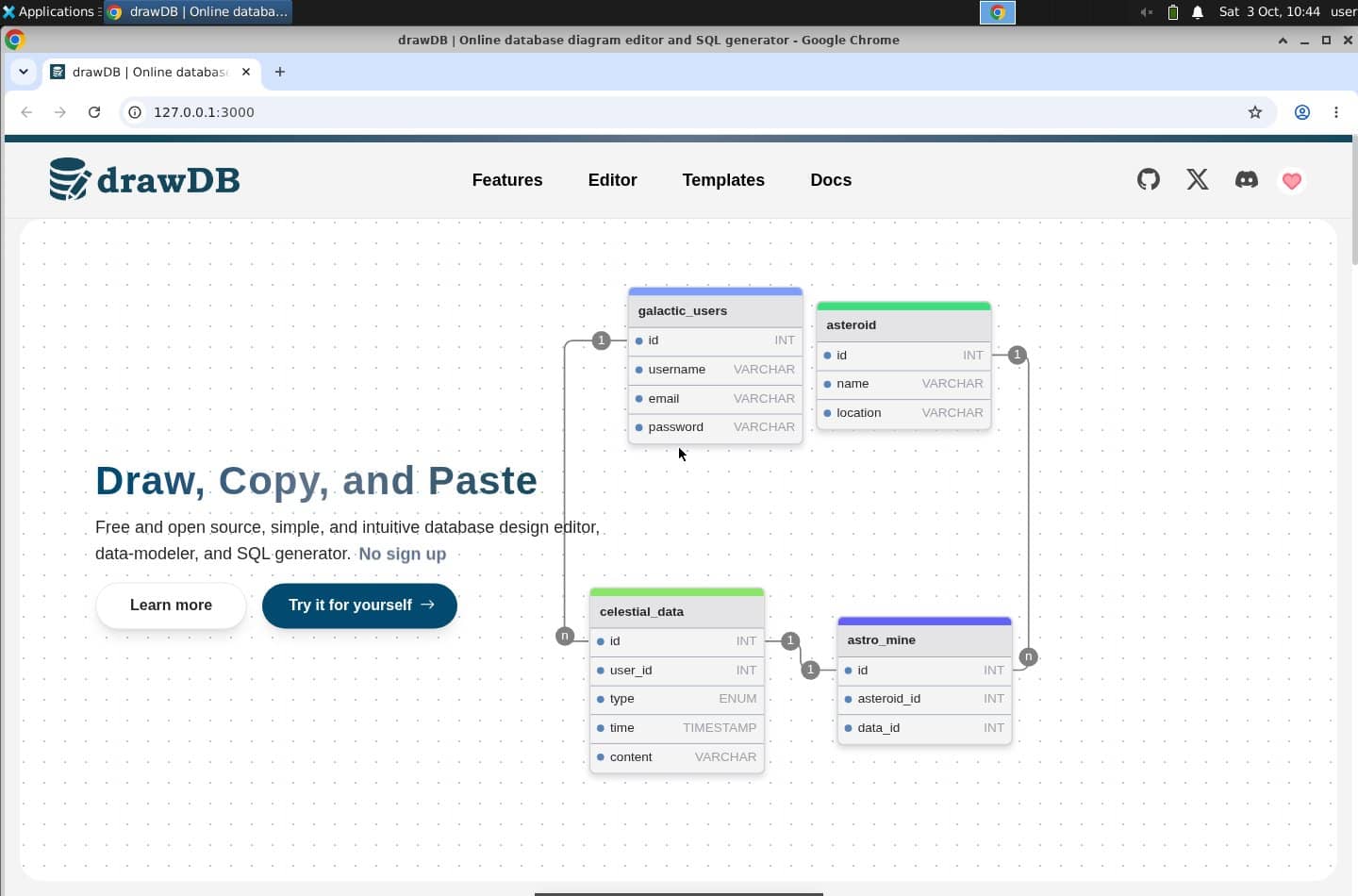
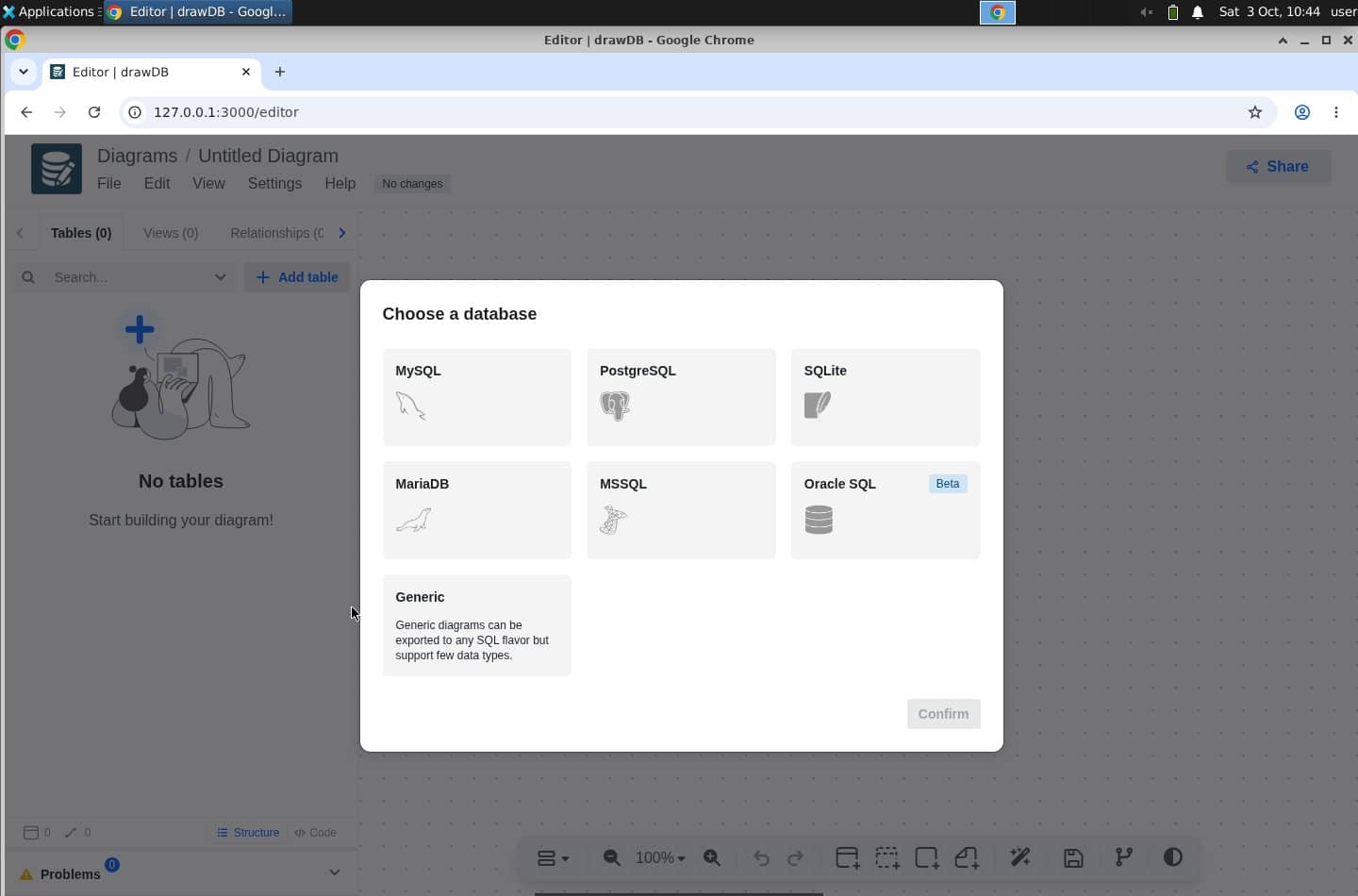
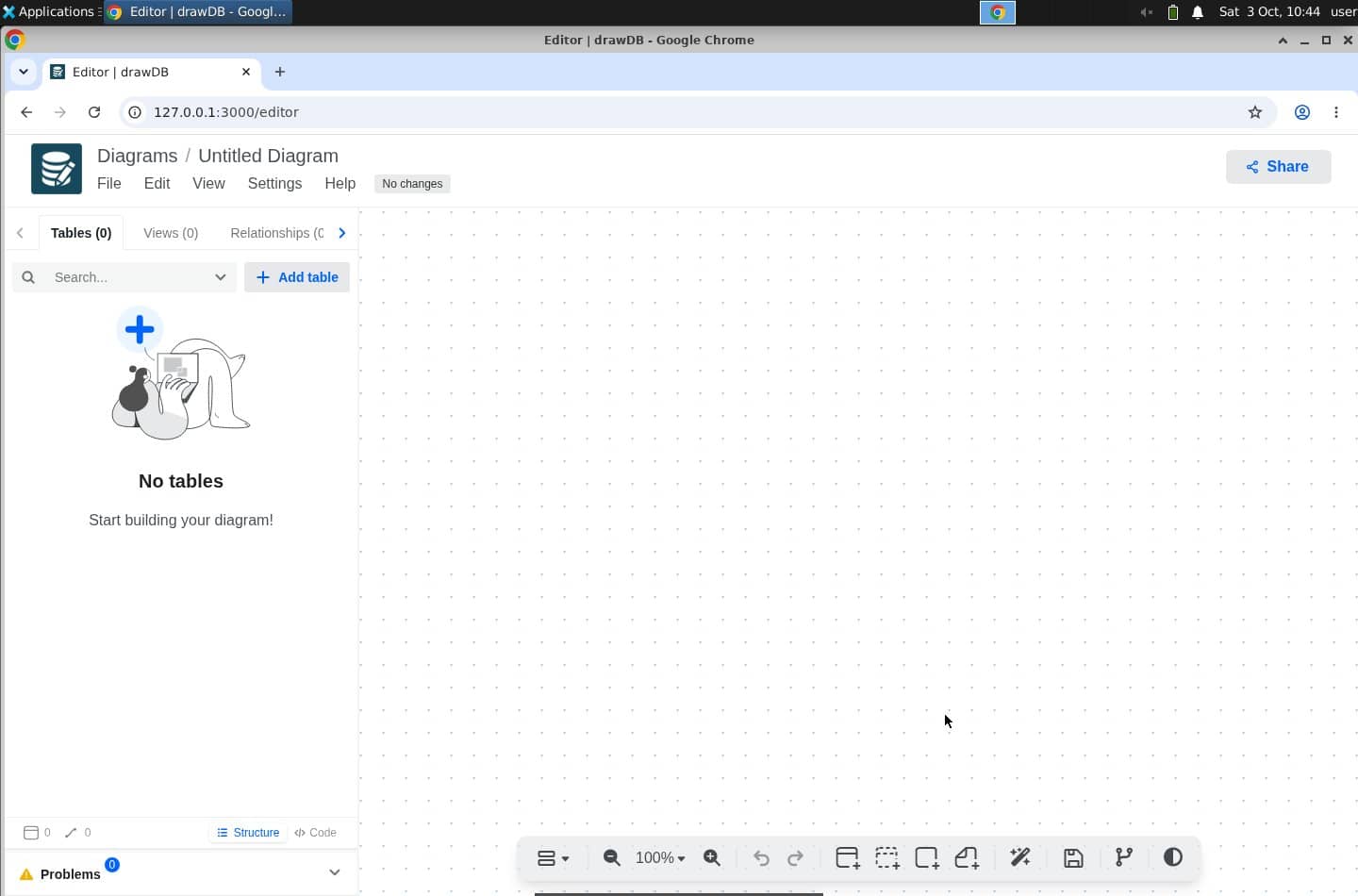
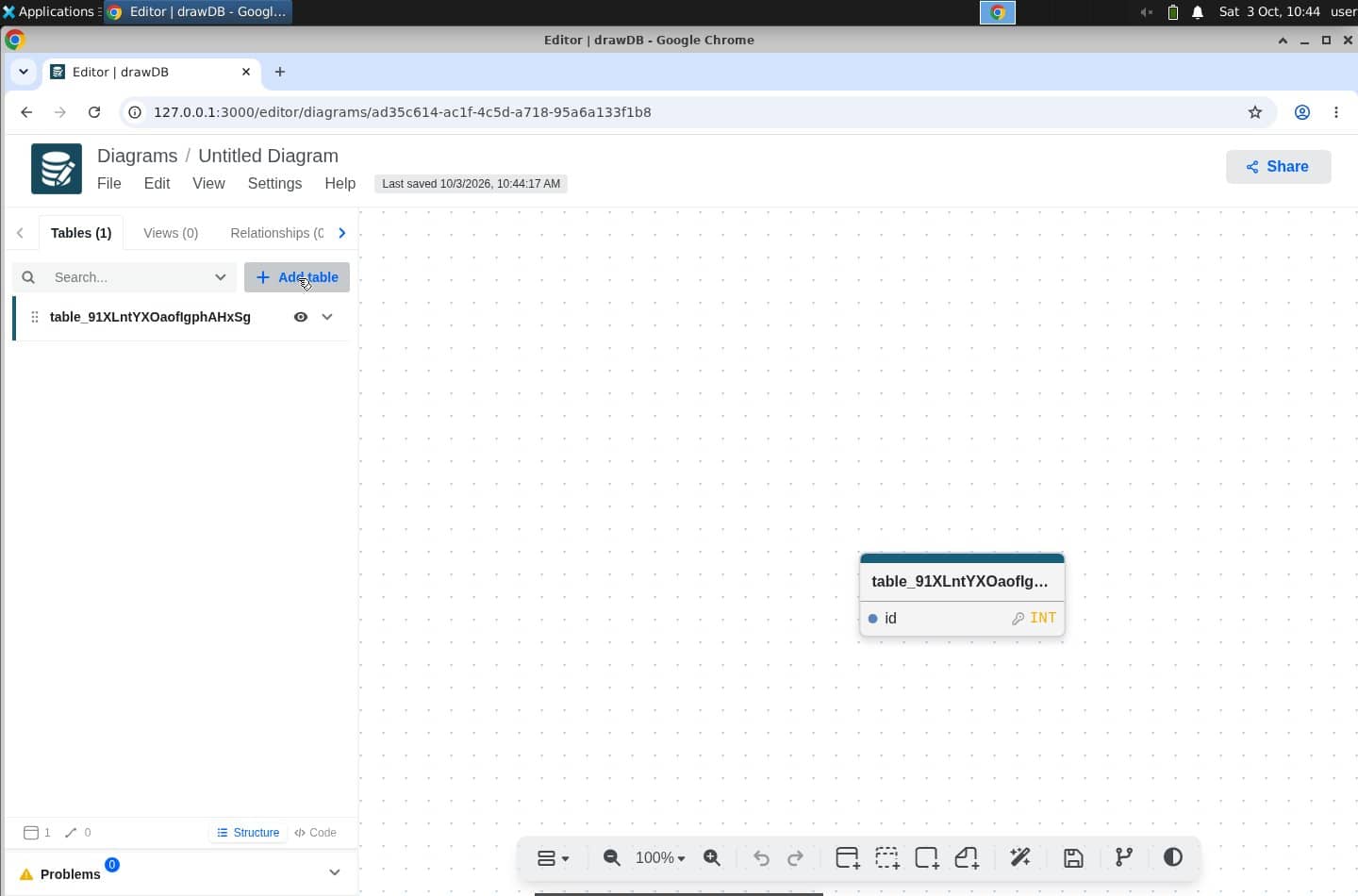
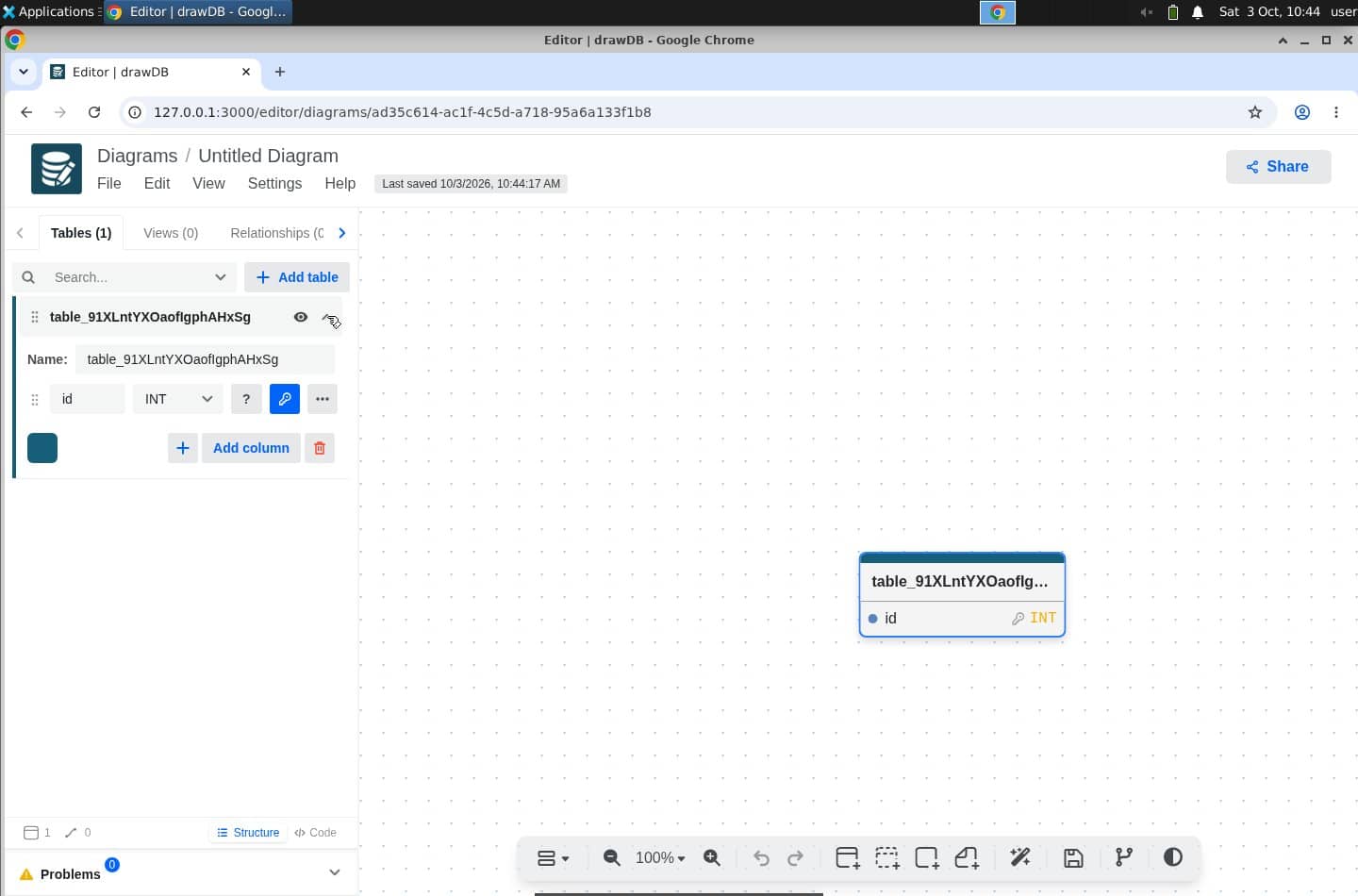
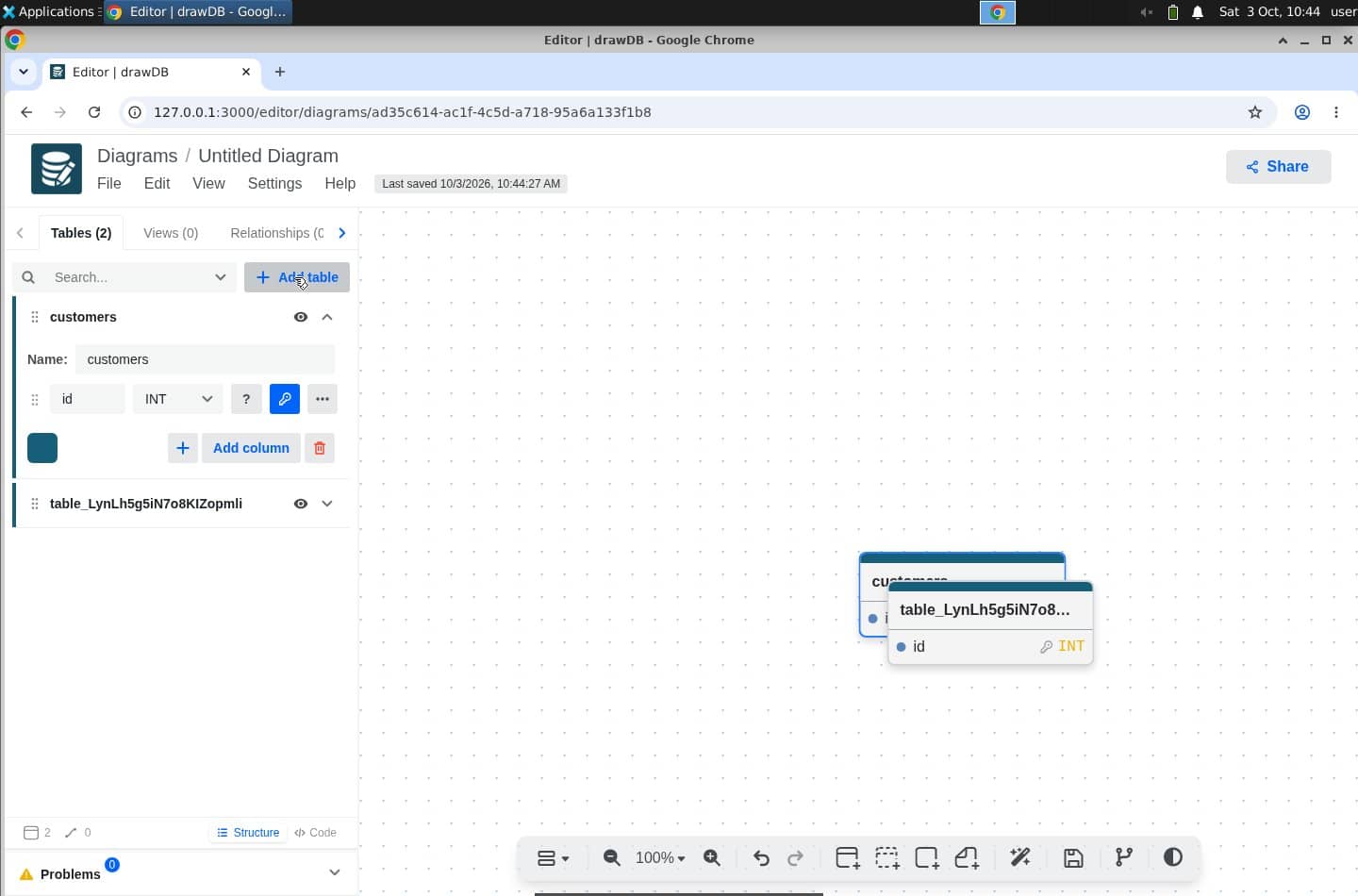
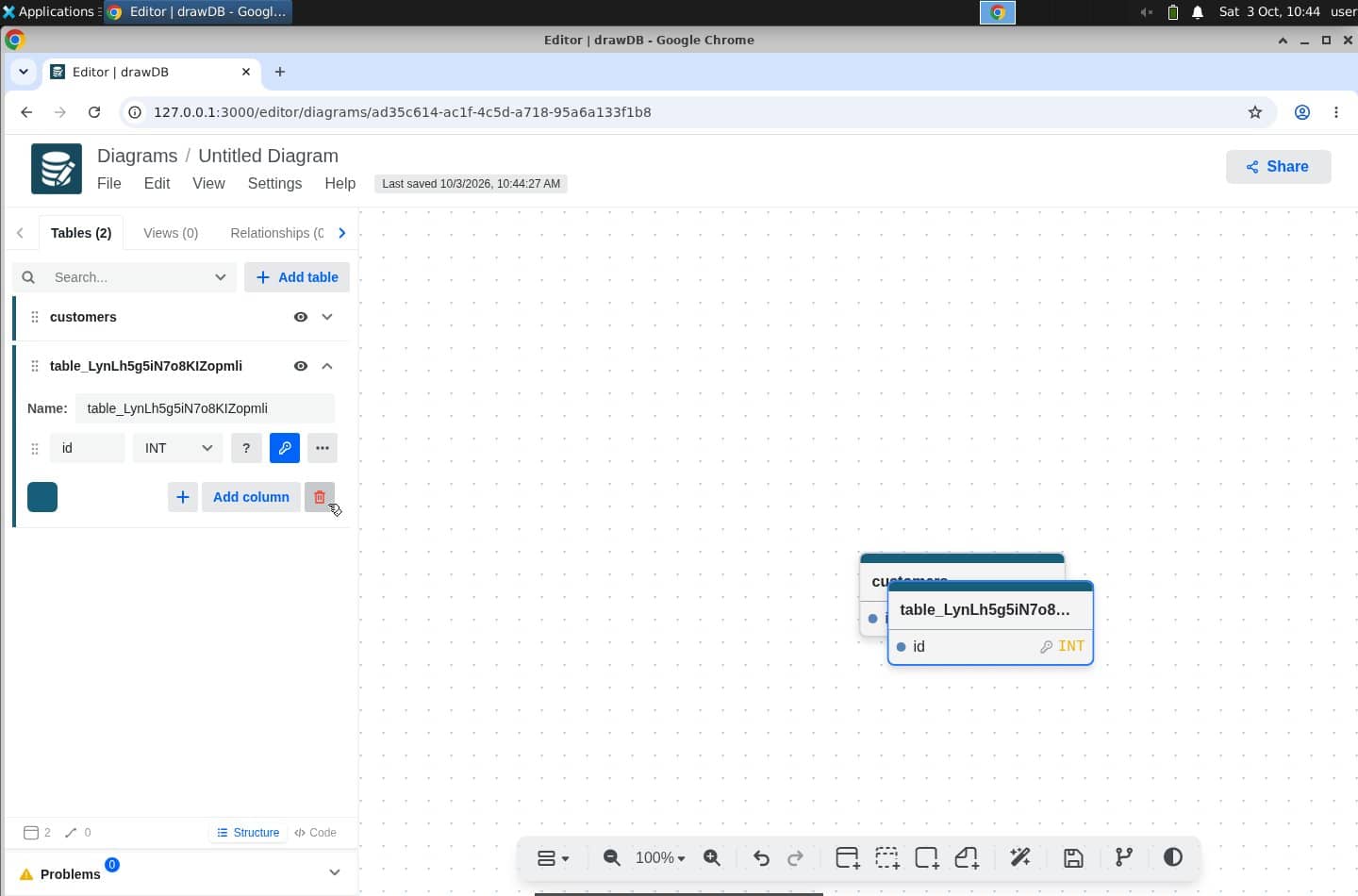
 click (373, 644)
messageI’ll try the editor and make a simple customers-and-orders diagram.
- 00:04
click (373, 644) - 00:09
click (490, 656) - 00:09
click (1002, 758) - 00:13
click (316, 295) - 00:17
click (347, 335) - 00:21
click (209, 382) - 00:22
keypress CTRL+A - 00:22
type [9 chars] - 00:23
click (312, 294) - 00:27
click (348, 534) - 00:32
click (206, 433) - 00:32
keypress CTRL+A - 00:33
type [6 chars] - 00:33
click (750, 488)
Open this run in Observer ↗The full replay, its findings, and a link to every frame.
Example 2 of 3 · drawDB, TodoMVC, Excalidraw · September 1 to 4, 2026
Find out which kind of user your app blocks
“no keyboard-accessible database options … Confirm remains disabled”
One run tells you what one person hit. The useful question is who gets stuck. So we gave the same task to two different people: a power user who lives on the keyboard, and a newcomer who has never seen the app and reaches for the mouse. Three apps, four to six runs each. The persona is what you declare; whether a run really stayed on the keyboard is what the trace records, action by action.
| App · mission | Keyboard-first | Mouse newcomer |
|---|---|---|
| drawDB · two related tables | 5 / 5 | 0 / 5 |
| TodoMVC · add, rename, filter | 6 / 6 | 0 / 6 |
The control: Excalidraw, two boxes and an arrow. 12 of 12 participants of every kind reached the goal.
Keyboard-first participants reported drawDB’s database modal 5 of 5 times and TodoMVC’s double-click rename 6 of 6 times; no mouse newcomer reported either. Three of the five drawDB participants and two of the six TodoMVC participants were blocked there; the others switched to the mouse, finished, and said so. Five or six runs per cell. A blocked synthetic participant identifies a place in the app to check; it does not estimate how many people would be blocked.
Example 3 of 3 · TodoMVC · September 5, 2026 · 12 runs · humanish 0.81.0
Fix it, run the same task again, compare
“I stopped without using the pointer; Draft proposal remains saved instead of Send proposal.”
A finding is only worth something if you can check the fix. TodoMVC hid rename behind a double-click, and every keyboard-only participant stopped there. We added a visible Edit button that takes keyboard focus, then ran the exact same task on both versions.
| Input | Original | Local Edit patch |
|---|---|---|
| Keyboard-only | 0 / 3 | 2 / 3 |
| Pointer | 3 / 3 | 3 / 3 |
One keyboard attempt per version ended in a provider interruption. Both remain in the counts.
Completion required the original item ID with its new title saved and the editor closed. These synthetic attempts do not measure human completion rates.
Verify passed 16/16 on the drawDB run, and the bundle still grades local_only: it holds full-fidelity screenshots, which the share-safety gate never marks share-ready as-is. These captures were reviewed by hand before publication.
drawDB, TodoMVC and Excalidraw are the applications studied; none is a humanish adopter or endorser. The lobby game is the maintainer’s own.
Run your first study with one command
humanish init writes a study file: who the participant is, what they are trying to do, and where your app is, a repo to clone or a URL you own. humanish run does the rest. The other three commands are what you do with what comes back. They need Node 22.19 or newer; a live run reads OPENAI_API_KEY and E2B_API_KEY from your environment, or drives your signed-in Codex or Claude Code instead.
humanish initWrite the study: the participant, the task, your app. --yes takes the defaults.
humanish run <study>The one command. A hosted desktop, a real browser, your app cloned and built if it is a repo, the participant at work, everything recorded to .humanish/runs/. watch in place of run keeps the Observer open while it happens.
humanish analyzeRanked findings, each linked to the moment and the capture behind it. Runs by default after a live study under its own disclosed budget; review.analysis: false turns it off.
humanish verifyGrades the evidence for sharing and fails closed: share_ready, local_only or blocked.
humanish feedback issueTurns a finding into a GitHub issue draft. Nothing is posted.
humanish watch with no study plays a bundled sample study in the Observer: no keys, no spend, and it never opens your app.
Your keys and evidence stay local by default
Browser runs keep your model key on your machine
Computer-use participants call the model from your machine; the desktop receives actions. Terminal participants receive a runtime key by default. See credential options.
Evidence stays in your repo until you share it
Evidence lands in gitignored .humanish/. Exposing Observer or sharing an export makes it accessible to others. The recordings on this page were published by hand, after review.
Issue drafts never post to GitHub
feedback issue renders a draft; no GitHub API call exists on that path.
Anything verify can’t clear stays local
A bundle that can’t pass every gate grades local_only or blocked, never share_ready. The gate catches secret and path shapes; it does not certify that names or personal data are absent from pixels. Known failure modes.
FAQ
- What does a run cost?
The TodoMVC example cost about $0.16 in model spend per run, measured on September 1, 2026, plus a few cents of desktop time, plus the analysis step if you leave it on. You set a cap in the study file and the run stops when its estimate reaches it. The cap works on humanish’s estimate at dated rates; your provider’s bill is the real number.
What a study costs, with measured numbers →- What do I need to run one?
Node 22.19 or newer, an OpenAI API key, and an E2B key for the hosted desktop. If you are signed in to Codex or Claude Code, that can drive the participant instead of an OpenAI key. You still need E2B.
Setup for each option →- What do study, bundle and Observer mean?
A study is the YAML file that says which app, which persona and which task. A bundle is the folder a run writes under
Study files →.humanish/runs/, with the captures, actions, reasoning, findings and cost. The Observer is the viewer that replays a bundle in your browser;npx humanish watchopens it.- Where does the evidence go, and who sees it?
It stays in your repo under
Who sees what, and the threat model →.humanish/runs/, which is gitignored. humanish uploads nothing. The model provider sees what the participant sees, and if you run analysis, that step sends selected text and captures to the model you pick. Telemetry is anonymous command usage, andnpx humanish telemetry disableturns it off.- How is this different from a Playwright test?
A test checks the steps you wrote down. A participant gets a persona and a goal, works out the steps itself, and the trace records each action and what it was thinking before it. That is how you see where someone hesitated or gave up.
How to read a run →- What is it not for?
Load testing, security testing, or pixel-exact regression. It is also no substitute for watching a real user: a synthetic participant tells you where one person got stuck, and nothing about how many of your users would.
Known failure modes →- Why does this exist?
humanish started on a chat-based patient intake. Testing one long flow meant recruiting five ADHD patients, paying a panel, and waiting days for notes on one screen. Recruit real users whenever you can. humanish is for the studies you would otherwise skip.
The repository →
Try it on your app with one participant
npm i -D humanish @e2b/desktopnpx humanish init --yesnpx humanish run try-live
Unlike the no-key preview above, this opens your app: one participant, about two minutes, capped at $2 of estimated model spend. MIT.